Roles and Permissions
Nexus supports role based access controls (RBAC) where parent organizations pass roles and permissions down the hierarchy to projects. Each organization contains two default roles: admin and user.
Understanding Standard Roles
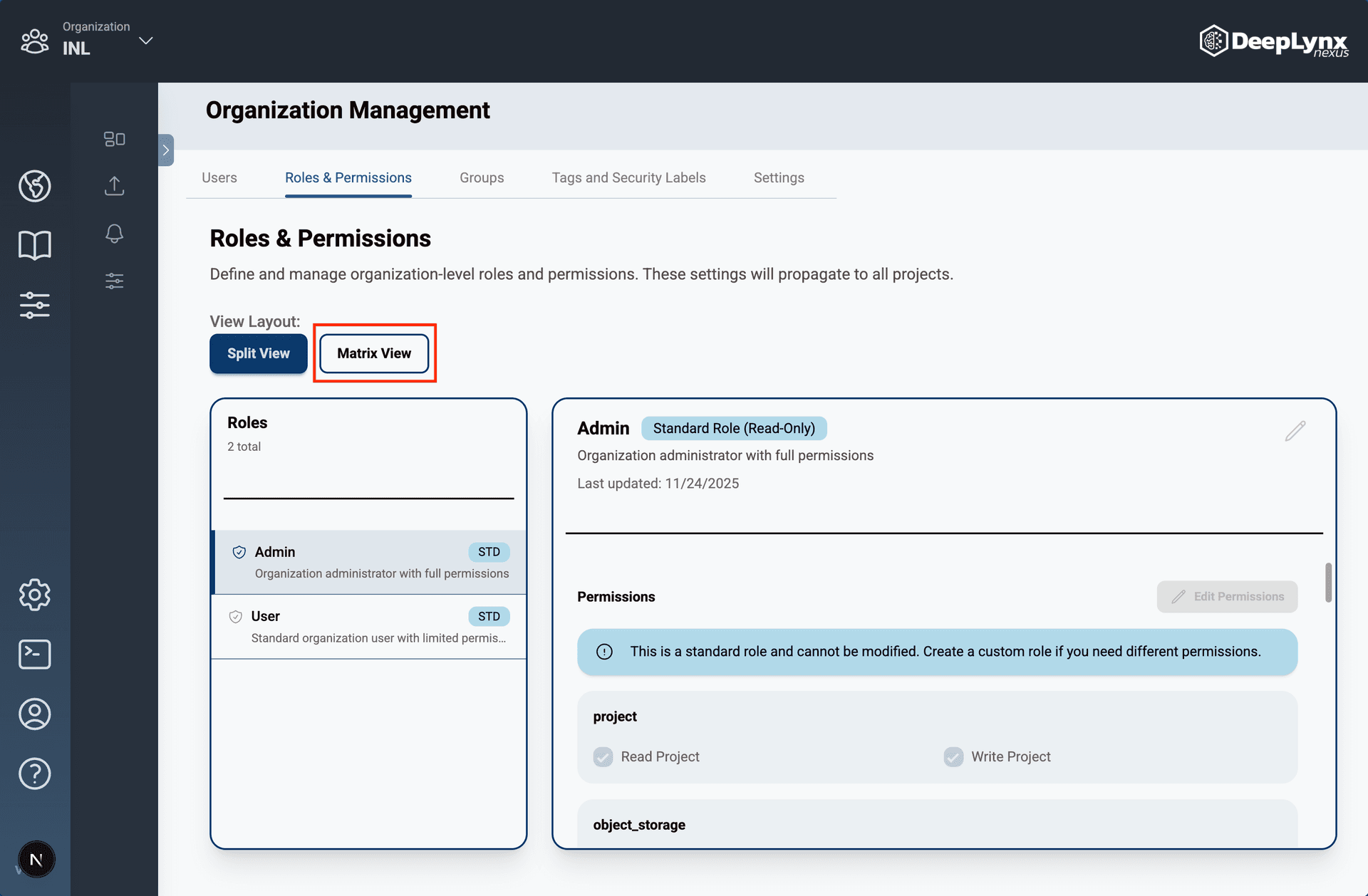
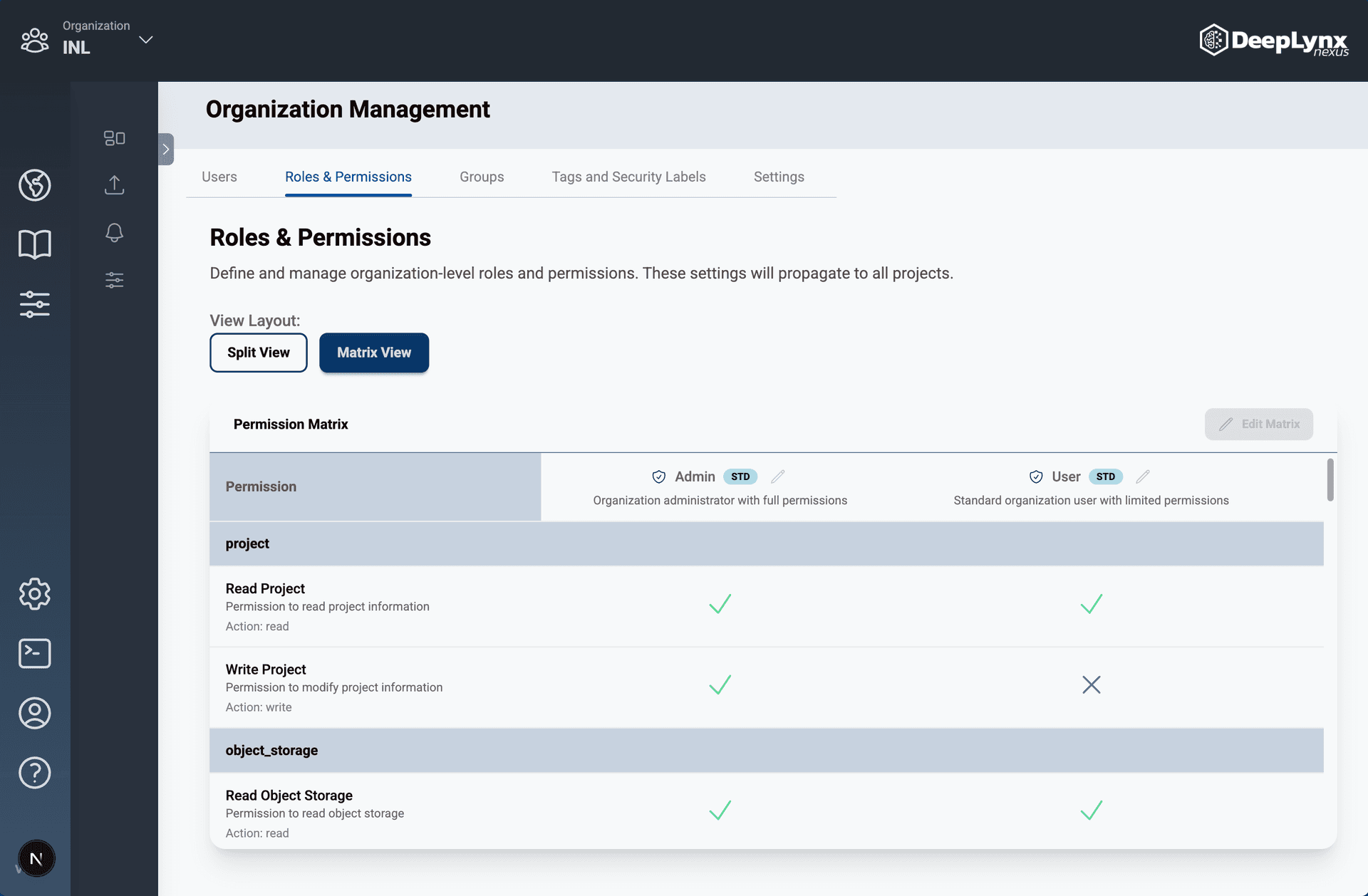
All organizations are created with two standard roles that cannot be modified. The admin role has full read and write permissions to all resources. While the user role has read permissions to all resources with some write permissions.
Note: The differences between the standard roles can be viewed in the matrix section of Roles and Permissions. Click the buttons under the “View Layout” to toggle between the split and matrix views.
Split View:
Matrix View:
Customizing Roles and Permissions
Note: Currently only standard roles exist for organizations. The ability to create, edit, and delete custom roles and permissions will be added in a future release.