Create A Project
Let’s learn how to create and manage your first project in DeepLynx Nexus.
How to Create a Project
There are two ways to create a project in DeepLynx: through the UI and via the API.
When a project is created, three default classes are automatically created and associated with your newly created project:
- Timeseries: For time-series data management
- Report: For report generation and storage
- File: For file management and storage
Creating a Project in the UI
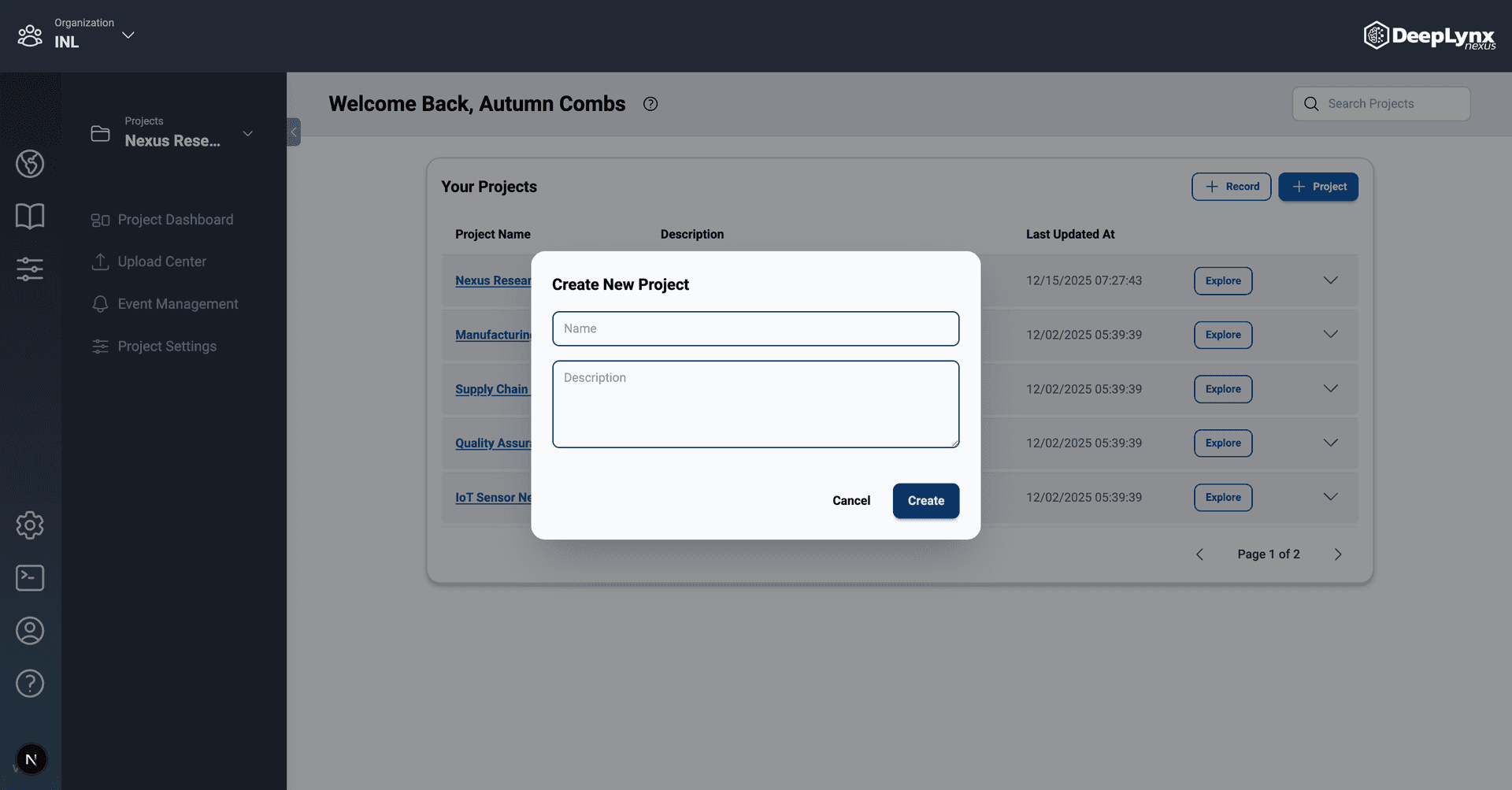
Follow these steps to create a project through the DeepLynx interface:
- Click the Create Project button on the DeepLynx Home Page
- Give the project a name (and description if desired)
- Click the Create button and wait to be taken to the home page of your newly created project
Need Help?
If you need help or have any questions, feel free to reach out to us through our support channels. We’re here to help!
Thank you for being a part of our community. We hope you find the documentation helpful and look forward to your feedback!